
TrueOneFix FAQ – Computer, Laptop & MacBook Repair Questions
Computer Repair FAQ – At TrueOneFix Computer Repair Shop in Tampa, we answer the most common questions customers ask about computer, laptop, MacBook, and gaming PC repairs. This guide helps you understand repair times, pricing, data safety, warranty details, and what to expect when you bring your device to our shop.
At TrueOneFix Computer Repair Shop in Tampa, we know you have questions about computer, laptop, MacBook, and gaming PC repairs. This FAQ page brings together the most common questions our customers ask in one place. Browse the answers below to understand our process, repair times, prices, data safety, and warranty.
If you need more details about a specific service, you can also visit our Laptop Repair Tampa, MacBook Repair Tampa, or Gaming PC Repair Tampa pages.
Quick navigation
- General questions
- Repair process & time
- Pricing & warranty
- Data & privacy
- Drop-off, pickup & tracking
General questions
In this Computer Repair FAQ, we also explain walk-ins, diagnostics, and common device issues.
Do I need an appointment, or can I walk in?
You do not need an appointment for most repairs. Walk-ins are always welcome during our regular business hours:
- Monday – Friday: 09:30 AM – 7:00 PM
- Saturday: 10:00 AM – 4:00 PM
- Sunday: By appointment only
If you prefer, you can schedule a visit online using our booking page: Book your repair online.
Is the diagnostic really free?
Yes, our standard diagnostic is 100% free for most computers, laptops, and MacBooks. We inspect your device, identify the problem, and provide a clear repair plan and price before doing any work.
You can find more answers in this Computer Repair FAQ section below.
In very rare cases (for example, complex data recovery or board-level repair investigations), a special diagnostic fee may apply – but we will always let you know in advance and ask for your approval before charging anything.
What types of devices do you repair?
We repair most desktop and laptop brands, gaming PCs, and Apple computers, including:
- Windows laptops and desktop PCs (HP, Dell, Lenovo, Asus, Acer, MSI, and more)
- Custom-built and branded Gaming PCs
- Apple MacBook, MacBook Pro, MacBook Air, and iMac computers
For detailed information, check out our Laptop Repair Tampa and MacBook Repair Tampa pages.This Computer Repair FAQ helps customers understand repair processes clearly.
Where is TrueOneFix located?
We are located at:
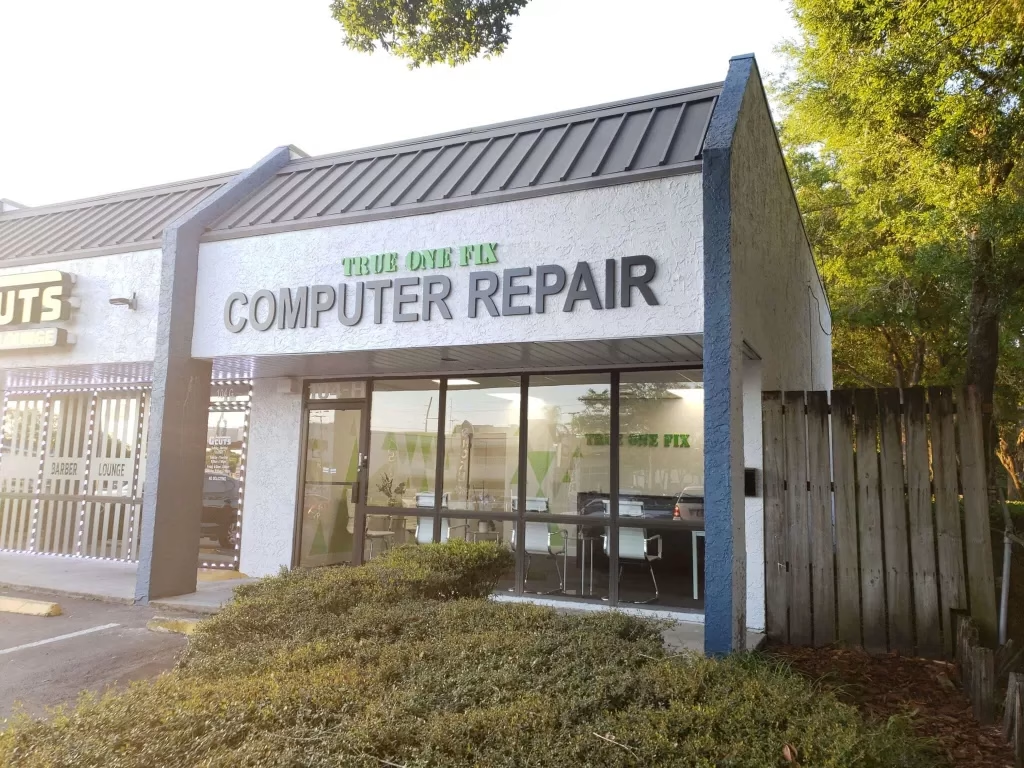
TrueOneFix Computer Repair Shop
104 East Fletcher Avenue, Tampa, FL 33612
You can open directions on Google Maps here:
View TrueOneFix on Google Maps
Repair process & time
How long does a typical repair take?
Many common repairs can be completed the same day or next day, depending on part availability and the complexity of the issue. Examples:
- Most software issues and tune-ups: usually same day
- Laptop and MacBook screen replacements: often 1–2 business days
- Battery replacements and charger port repairs: usually 1–3 business days
- Board-level or special-order parts: typically 3–7 business days
We always give you an estimated time after the free diagnostic, so you know what to expect.
Can you provide same-day service?
Yes, when parts are in stock and the issue is straightforward, we often can complete repairs the same day. This is especially common for:
- Fan cleaning and overheating issues
- Windows or macOS software problems
- Simple hardware replacements when parts are available in our shop
Call us at 813-438-2888 or book online to ask about same-day availability for your device.
Is my computer worth repairing, or should I buy a new one?
This depends on the age of your device, the type of problem, and your budget. During the free diagnostic, we check your hardware, performance, and repair cost and then give you an honest recommendation.
In many cases, a repair or upgrade (for example, SSD + RAM upgrade) can make your computer feel like new again for 25–45% less than the cost of a new device. If the repair cost is too close to the price of a new computer, we will tell you and help you make the best decision for your situation.
Frequently Asked Questions About Computer Repair in Tampa
We assist customers with a wide range of laptop, desktop, and MacBook issues — from slow performance to hardware failures and display problems.
Do You Offer CPU Repair Near Me?
Yes. Our technicians diagnose overheating, system crashes, and CPU-related performance issues using advanced tools. We provide fast CPU repair near me for all PC brands.
Can You Repair Computer Monitors or PC Screens?
Absolutely. We provide computer monitor repair and PC monitor repair services for flickering screens, dead pixels, and display connection problems.
Pricing & warranty
How much do repairs usually cost?
Prices vary depending on the problem and the device. Basic repairs and software fixes are usually very affordable, while hardware replacements or board repairs cost more.
We always:
- Provide a clear price quote before repair
- Ask for your approval before starting any paid work
- Offer competitive pricing compared to big box stores
You can call us at 813-438-2888 for a rough estimate, but final pricing is confirmed after we see the device during the free diagnostic.
Do you offer a warranty on repairs?
Yes. Most hardware repairs come with a warranty period that covers the part and our labor. The exact length of the warranty can vary depending on the type of part and manufacturer.
We will write your warranty details on your receipt or repair ticket so you always know what is covered and for how long.
Do you use original or aftermarket parts?
We always try to use high-quality parts that match or exceed the manufacturer’s original specifications. Depending on availability and your preference, we may use:
- Original (OEM) parts when available
- High-quality compatible parts with warranty
If there is more than one option (for example, OEM vs. premium aftermarket), we explain the difference in price and quality so you can choose what works best for you.
Data & privacy
Do you delete my data when you repair my computer?
No. We never delete your data without your permission. Our goal is to fix your device while keeping your files, photos, and programs safe.
In some cases (for example, reinstalling Windows or macOS), we may recommend a clean installation. If that is needed, we always explain it first and ask if you would like us to back up your data before any changes are made.
Should I back up my data before bringing my device?
If possible, we always recommend that you back up important files before bringing in your device. However, we know that sometimes the computer is already not working properly.
If you cannot access your data, we can often help with data backup or recovery options. Please let us know which files or folders are most important for you when you drop off the device.
Are my personal files and information safe with you?
Yes. We take privacy very seriously. We do not browse your personal files, and we only access what is necessary to test the device and complete the repair.
Any login information that you share (for example, Windows or macOS password) is used only to test your device and confirm that your issue is resolved.
Drop-off, pickup & tracking
What should I bring with my device?
For most repairs, we only need your computer or laptop itself. However, in some situations, bringing the charger and accessories is helpful:
- Laptops: please bring your charger if you have power or charging issues
- Gaming PCs: bringing the power cable is optional, but helpful for testing
- Special peripherals: if your issue is related to a specific keyboard, mouse, or monitor, you can bring it
You do not need to bring the box or original packaging unless you want extra protection during transport.
How do I know when my repair is finished?
Once your repair is completed, we will contact you by phone, SMS, or email using the contact details on your repair ticket. We also explain what was done and any recommendations for future maintenance.
Our Computer Repair FAQ covers typical repair prices, parts quality, and warranty information.
If you have questions during the process, you can call us at 813-438-2888 and ask about your repair status using your name or ticket number.
What happens if my device cannot be repaired?
If we determine that your device is not repairable or that the repair is not cost-effective compared to replacement, we will explain the situation clearly and discuss your options.
In most standard cases, if no repair is performed, you still do not pay a diagnostic fee. If there is an exception (for example, deep board-level analysis), we always inform you before starting.
Do you offer any discounts, such as for students?
Yes, we occasionally offer promotions and local discounts. USF students and nearby residents in the Tampa Bay area can sometimes benefit from special offers.
This Computer Repair FAQ also explains how TrueOneFix protects your data and privacy during repairs.
Ask in store, call us, or check our website for current promotions and seasonal discounts.
Still have questions?
If you did not find the answer you were looking for, feel free to contact us directly.
Phone: 813-438-2888
Address: 104 East Fletcher Avenue, Tampa, FL 33612
You can also send us a message through our contact form: TrueOneFix Contact Page.
If your question is not listed in this Computer Repair FAQ, feel free to contact us directly.