So do grateful and thankful for Leon! He did a fantastic job, honest and fair upfront pricing, diagnostic and repair! Quick turn around, got the pc back to me before end of business day, Same day! Thank YOU So so so much! This is the only place I will be bringing my computers for repairs ! So glad I came in 1000/1000 . highly recommend :)!
I had a great experience with TrueOneFix. I brought in my MacBook, iMac, and ASUS laptop, all with different issues, and they fixed every one of them perfectly. The staff was friendly, knowledgeable, and upfront about everything.
All my devices are now running like new, and the turnaround time was faster than expected. I’m really happy with the service and would definitely recommend them to anyone needing reliable repairs.
Quality service with attentive and honest associates. I took my GPU here after my computer died. The same day, they did a diagnosis of it free of charge. They kept me posted through text and email the whole time, and told me the GPU processor was the issue. Told me up front that repairing it would cost $285, and told me honestly that it may be better to get a new GPU. They helped me a great deal in troubleshooting my PC, and if I ever have an issue with the hardware again, I'm definitely coming back here.
So far this shop is excellent. I needed my 2019 MacBook Pro battery replaced. They got me in immediately, charged a very reasonable price, and it was ready the end of the same day. Receptionist is very kind, and when they type in your information, there’s a screen so you can Confirm everything is correct. Next time I need a computer fix, I’ll be coming back. Thank you!!
Send Us a Message
ⓘ How to Find Your Serial Number / Service Tag
Your serial number or service tag helps us identify the exact model, specifications, warranty information, and compatible parts for your device. This allows us to provide a faster and more accurate repair estimate.
1
Apple MacBook / iMac / Mac Mini
MacBook: Click the Apple logo in the top-left corner → About This Mac. The serial number is shown in the overview window.
MacBook body: Flip the MacBook over. The serial number is printed on the bottom case in small text.
iMac: Check About This Mac or look under the stand foot.
Mac Mini: Check the bottom of the unit.
Mac Pro: Check the back panel or bottom area.
2
Dell Laptop / Desktop
Dell usually uses a Service Tag.
Check the sticker on the bottom cover of the laptop.
For desktops, check the back, side, or top panel.
You may also find it in BIOS under Service Tag or System Information.
Example format: ABC1234
3
HP Laptop / Desktop
HP usually labels it as Serial Number, S/N, or Serial.
Check the sticker on the bottom cover of the laptop.
For desktops, check the back or side panel.
You may also find it in BIOS under System Information.
Example format: 5CDXXXXX
4
Lenovo Laptop / Desktop
Lenovo usually labels it as S/N or Serial Number.
Check the sticker on the bottom cover of the laptop.
For ThinkPad models, it may be near the model number or QR code label.
For desktops, check the back, side, or top panel.
You may also find it in BIOS under System Information.
Example format: PF3XXXXX
5
ASUS Laptop / Desktop
ASUS usually labels it as Serial Number, S/N, or SN.
Check the sticker on the bottom cover of the laptop.
For ASUS ROG / TUF gaming laptops, check near the barcode label on the bottom case.
For desktops, check the rear or side panel.
You may also find it in BIOS under System Information.
6
Acer / MSI / Microsoft Surface
Acer: Check the bottom sticker. It may be labeled as S/N or SNID.
MSI: Check the bottom sticker near the barcode. It is usually labeled S/N.
Microsoft Surface: Check under the kickstand, on the back cover, or in the Surface app if the device turns on.
7
Windows Method
For many Windows laptops and desktops:
Press the Windows Key.
Type Command Prompt.
Open it and type this command:
wmic bios get serialnumber
The serial number should appear on the next line. Some devices may show blank or “To Be Filled By O.E.M.” if the manufacturer did not program it.
8
Device Won’t Turn On?
Check the sticker on the bottom, back, or side of the device.
Check the original box barcode label.
Check the original purchase receipt or invoice.
For Apple devices, log in to appleid.apple.com and check the Devices section.
If you cannot find it, type UNKNOWN in the serial number field.
Examples:
Apple Serial: C02G71XXMD6T
Dell Service Tag: ABC1234
HP Serial Number: 5CDXXXXX
Lenovo S/N: PF3XXXXX
Unknown: UNKNOWN
Book Device
We understand how frustrating it can be when your device isn’t working properly, and we’re here to help! Our experienced team is committed to providing the best possible service to get your computer back up and running smoothly.
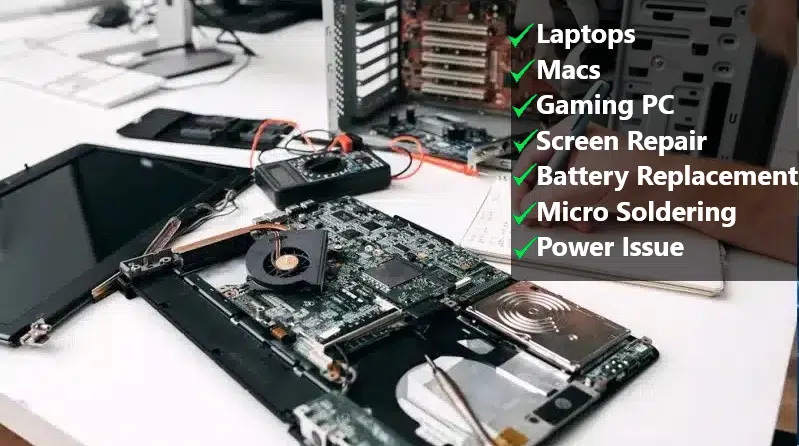
We specialize in gaming PCs, laptops, screen , and battery issues. No matter the problem, we’ll find the right solution for you.
Plus, we offer a 6-month warranty on replacement parts and a 3-month warranty on labor. And the best part? We don’t charge anything for diagnostics! Just bring your computer to our shop, and we’ll perform a full check-up at no cost.
To speed up the process, let us know any details about the issue you’re facing, including error messages or unusual symptoms. Once we’ve assessed the problem, we’ll provide you with a fix estimate as soon as possible.
[trustindex no-registration=google]
Google Maps Responsive
Rest assured, we strive to offer competitive and transparent pricing for all our services. If you have any specific preferences or requirements regarding the fix process, please feel free to let us know, and we’ll do our best to accommodate them.
Thank you for choosing us to assist you with your device fix needs. We look forward to resolving the issue promptly and efficiently.