
SSD upgrade in Tampa, FL for slow laptops, desktops, MacBooks, iMacs, and gaming PCs. Faster startup, quicker app loading, data transfer options, and professional installation.
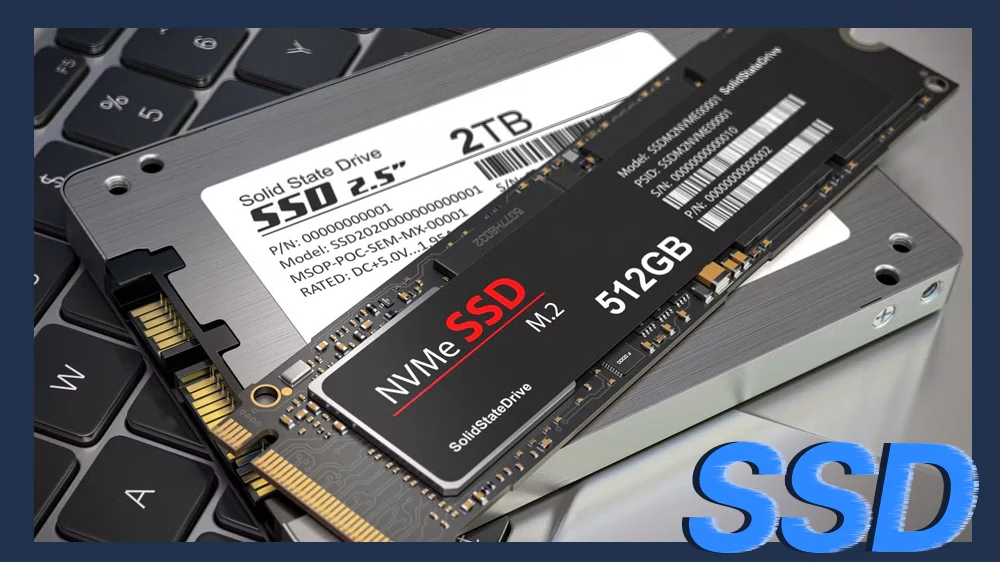
Professional SSD Upgrade in Tampa
Trueonefix provides SSD upgrade services for slow laptops, desktops, MacBooks, iMacs, gaming PCs, and business computers. If your computer takes too long to start, freezes often, or feels slow during normal use, replacing the old hard drive with an SSD can make a major difference.
With over 28 years of hands-on computer repair experience and hundreds of verified Google reviews, we focus on proper compatibility checks, safe data handling, clean installation, and clear pricing before any upgrade begins.
- Free diagnostics for most SSD upgrade cases
- Same-day service available on many upgrades
- Repairs and upgrades starting at $95 plus parts when required
- Data transfer and cloning options
- Windows and macOS installation support
Why Tampa Customers Choose Trueonefix for SSD Upgrades
⭐ Verified Google Reviews
Hundreds of Tampa customers trust Trueonefix for honest computer repair, upgrades, and dependable service.
⚡ Faster Performance
An SSD can improve startup time, app loading, file access, and overall system responsiveness.
💾 Data Transfer Options
When possible, we clone your old drive or transfer important files to the new SSD.


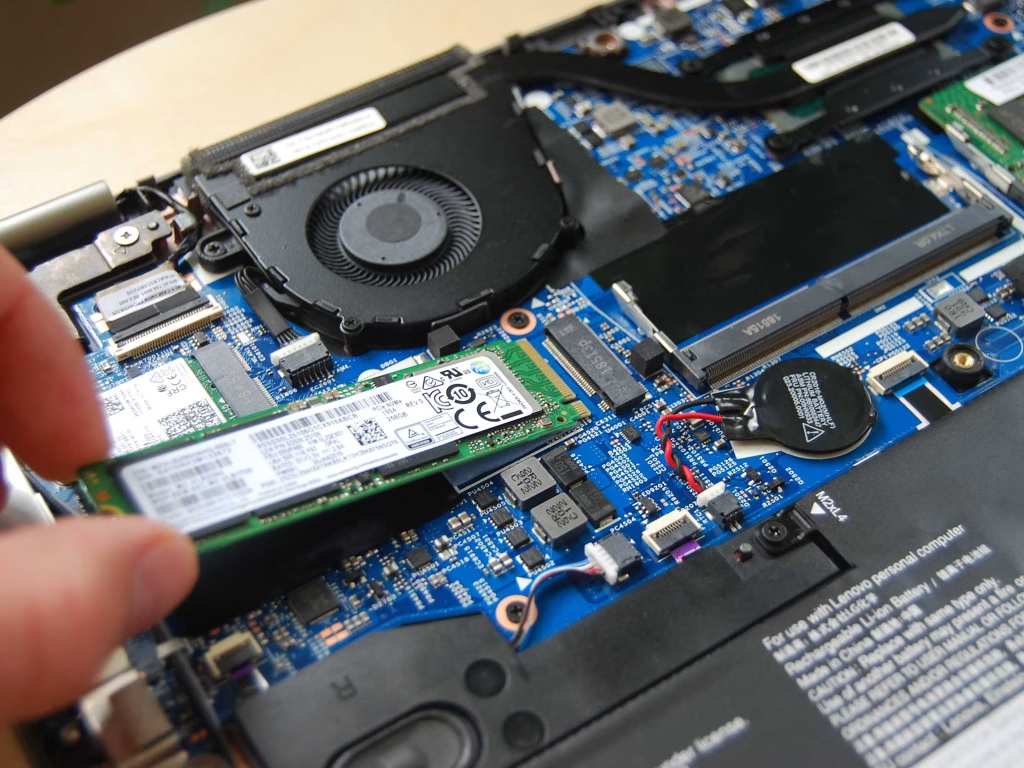
Why an SSD Upgrade Makes Your Computer Faster
A traditional hard drive uses spinning disks and moving parts. An SSD uses flash storage, which allows the computer to read and write data much faster. For many older computers, this is the most noticeable upgrade available.
- Faster startup and shutdown
- Programs open faster
- Smoother multitasking
- Less freezing caused by slow storage
- Quieter operation compared to mechanical hard drives
- Better reliability against shock and vibration
SSD Upgrade Services
We handle SSD upgrades for many types of computers, including personal laptops, business computers, gaming systems, MacBooks, iMacs, and desktop PCs.
- Laptop SSD upgrades
- Desktop PC SSD upgrades
- MacBook SSD upgrades where supported
- iMac SSD upgrades
- Gaming PC NVMe SSD upgrades
- Windows installation on SSD
- macOS installation support
- Data transfer and drive cloning when possible
Data Transfer and Drive Cloning
Your files are important. When the old drive is healthy enough, we can clone the existing system to the new SSD so your files, desktop, settings, and programs remain familiar.
If the old drive is failing, slow, or unreadable, cloning may not be possible. In that case, we can discuss file transfer, clean installation, or Data Recovery Tampa options.
SATA SSD vs NVMe SSD
Different computers support different SSD types. Some older laptops use 2.5-inch SATA drives, while newer laptops and gaming PCs may support M.2 NVMe SSDs. We check compatibility before recommending a drive.
- SATA SSD: Common upgrade for older laptops and desktops with mechanical hard drives.
- NVMe SSD: Faster storage option for supported laptops, desktops, and gaming PCs.
- External backup drive: Useful for protecting files after the upgrade.
Which Computers Benefit Most from an SSD Upgrade?
An SSD upgrade is often the best choice when the computer still works but feels slow because of an old hard drive or failing storage.
- Laptops that take several minutes to start
- Desktops that freeze during normal use
- iMacs with slow mechanical hard drives
- Gaming PCs with slow loading times
- Business computers used for daily office work
- Student laptops used for school, Zoom, and web browsing
Our SSD Upgrade Process
- Initial check: We inspect the computer and confirm the compatible SSD type, capacity, and upgrade options.
- Estimate and approval: We explain the SSD options, labor, data transfer options, and total cost before starting work.
- Data plan: When possible, we clone the old drive or transfer important files to the new SSD.
- SSD installation: We install the SSD properly using the correct mounting, bracket, adapter, or screw when required.
- System setup: We clone the system, install Windows or macOS, adjust boot settings, and verify the drive is detected correctly.
- Final testing: We test startup, shutdown, app loading, file access, updates, and general stability before pickup.
SSD Upgrade Cost in Tampa
SSD upgrade pricing depends on the computer model, SSD type, storage capacity, part cost, and whether you need cloning, data transfer, or a clean operating system installation.
Before starting any upgrade, we inspect the computer and provide a clear estimate for approval. No work begins without customer authorization.
For general pricing information, visit our Repair Prices page.
Related Computer Upgrade and Repair Services
If your slow computer has other issues besides storage, Trueonefix can also help with related repair and upgrade services.
SSD Upgrade Service Areas
We serve Tampa, Carrollwood, Temple Terrace, Lutz, Wesley Chapel, New Tampa, Tampa Palms, Citrus Park, USF, Lake Magdalene, Westchase, Brandon, Riverview, and nearby Tampa Bay communities.
FAQ – SSD Upgrade Tampa FL
Will an SSD upgrade make my computer faster?
Yes, in many cases. If your computer is slow because of an old mechanical hard drive or failing storage, an SSD upgrade can significantly improve startup time and overall responsiveness.
Can you transfer my files to the new SSD?
Yes, when the old drive is readable. We can clone the existing drive or transfer important files depending on the condition of the old storage device.
Can you upgrade my laptop to an SSD?
Yes. We upgrade many Windows laptops from hard drives to SSDs, and we also service supported MacBook and iMac models.
What if my old hard drive is failing?
If the old drive is failing, cloning may not be possible. We can inspect the drive and explain data recovery or clean installation options.
How long does an SSD upgrade take?
Many SSD upgrades can be completed the same day. Turnaround depends on the computer model, SSD availability, and whether cloning or data transfer is needed.
Do I need an appointment?
Walk-ins are welcome. You can also call ahead or book online if you prefer a scheduled visit.
For general storage information, you can also visit Microsoft SSD and HDD Support.
Visit Our SSD Upgrade Shop in Tampa
Visit Trueonefix Computer Repair Shop for SSD upgrades, hard drive replacement, data transfer, drive cloning, Windows installation, macOS installation support, and slow computer diagnostics.
Trueonefix Computer Repair Shop
104 E Fletcher Ave, Tampa, FL 33612
Phone: 813-438-2888
Website: trueonefix.com
Need an SSD Upgrade in Tampa?
If your computer is slow, freezing, or taking too long to start, an SSD upgrade may be the best way to make it fast again.
104 E Fletcher Ave, Tampa, FL 33612