
Laptop Repair Tampa
Diagnosis and repair for laptop hinges, screens, cables and damaged housings.
Learn moreRepair Advice
Learn how Florida humidity, corrosion and increased hinge resistance can damage laptop covers, mounts and nearby display cables.
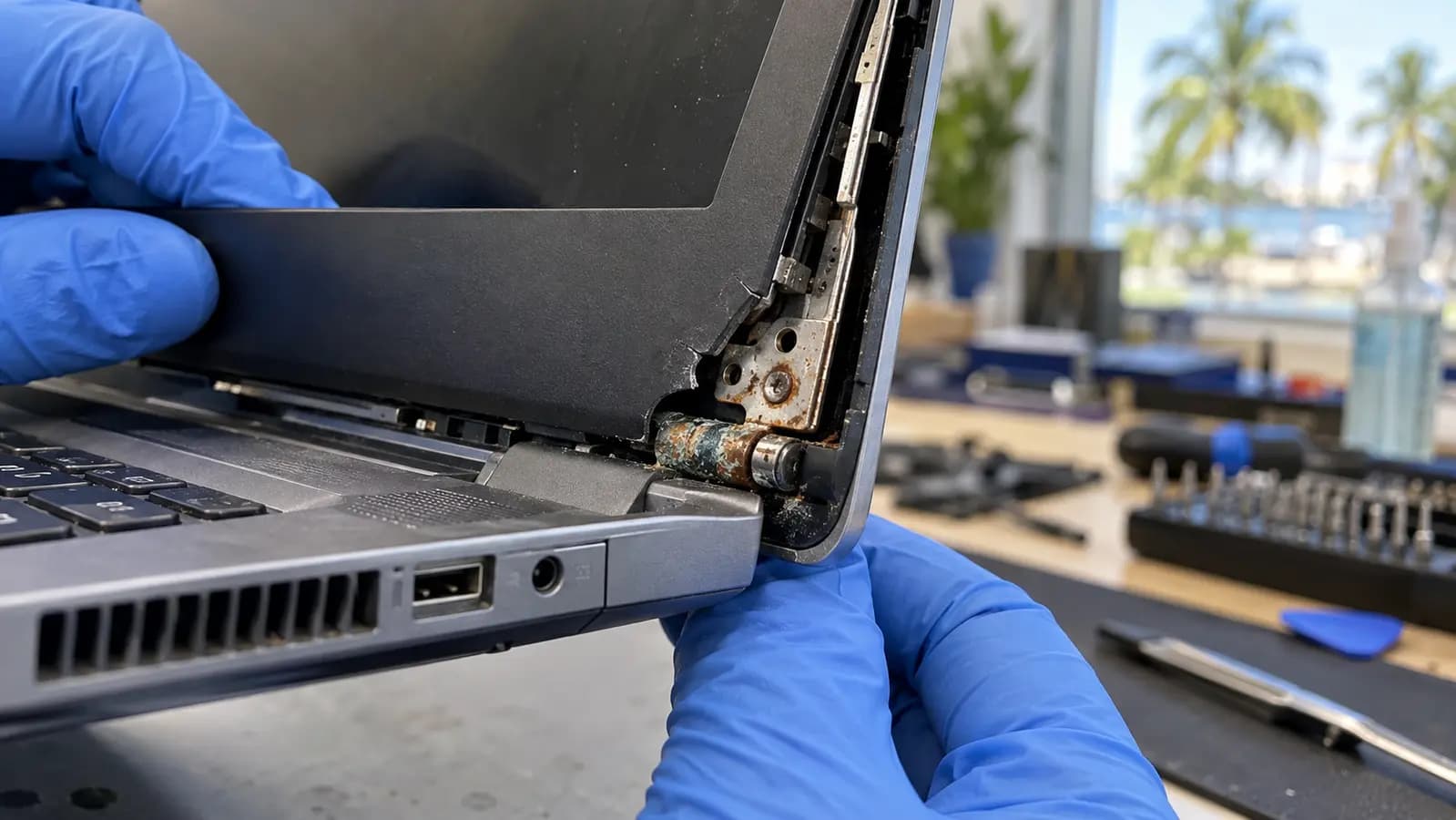
Florida climate and laptop hardware
A laptop hinge handles significant force every time the screen opens or closes. In Florida, humid air can contribute to oxidation on exposed hinge hardware, especially after condensation, coastal-air exposure, a previous spill or long storage in a damp room. Humidity is not the only cause of failure, but corrosion can increase resistance inside a hinge that is already worn.
When the hinge stops moving smoothly, the extra force travels into the screws, threaded inserts and molded plastic that hold it to the palm rest and LCD back cover.
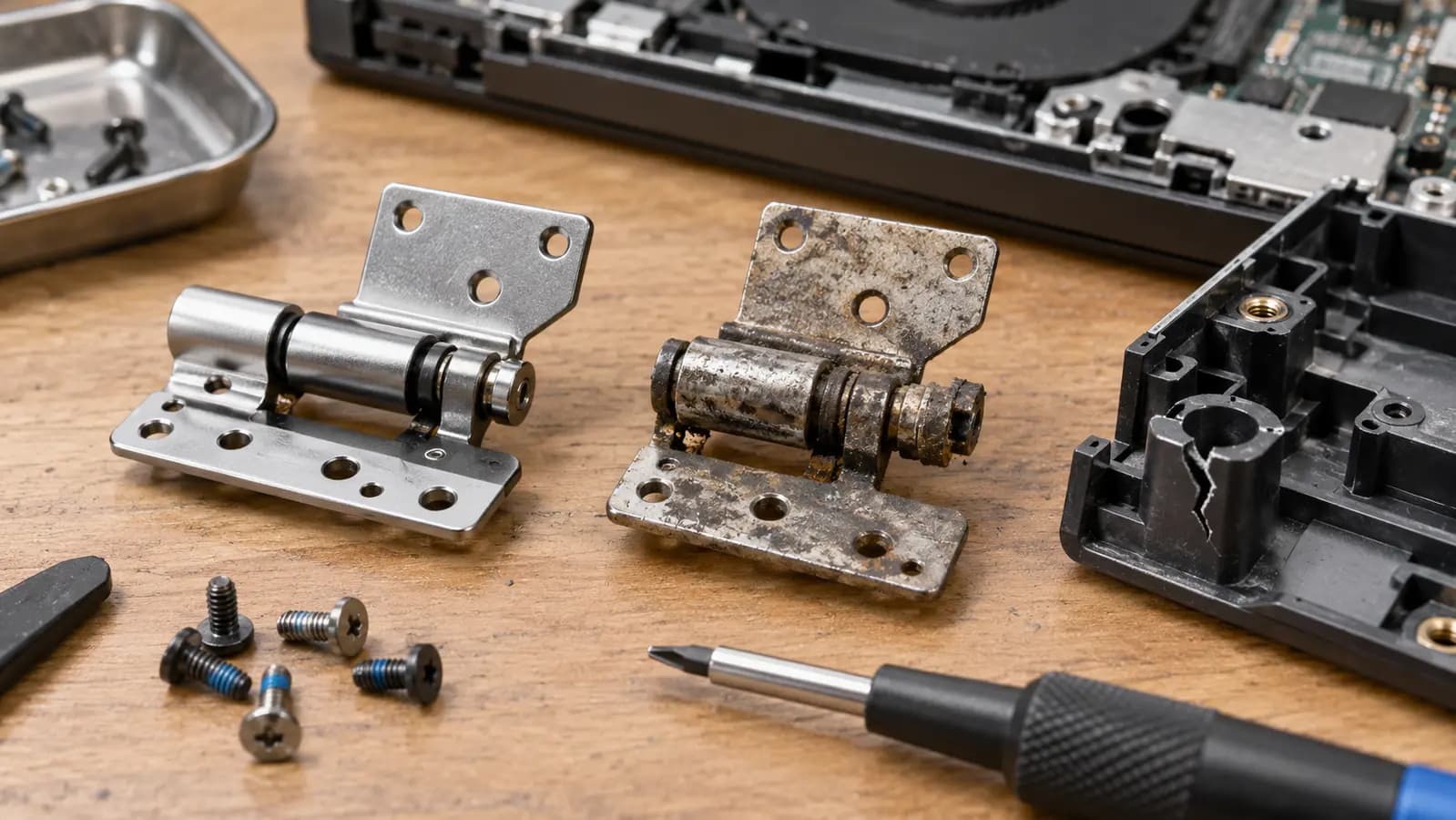
How the damage spreads
The hinge is usually metal, but many mounting points are molded into plastic housings. Excessive torque can crack those bosses or pull the threaded inserts away from the case. Damage may occur at the lower palm-rest side, the upper display-cover side, or both. The LCD back cover may begin separating near one corner while the hinge remains tight.
This is why glue alone is not always a lasting repair. Reattaching a broken mount without correcting a seized or overly tight hinge leaves the original force in place, so the repaired area may fail again.
Repair strategy
The correct repair depends on the model and the extent of structural damage. If the hinge moves normally and a limited, serviceable mount is damaged, a structural repair may be possible. If the hinge is corroded, seized or unusually tight, replacing only the cover can cause another failure. In those cases, both hinges and the damaged LCD back cover may need replacement.
Hidden risk near the hinge
Display and antenna cables often pass through the hinge area. A broken housing can pinch, stretch or cut the LCD cable, camera cable or Wi-Fi antenna leads. Twisting can also crack the LCD panel. A hinge-and-cover repair can become a screen or connectivity repair if the lid continues to be forced.
Stop moving the screen if the lid becomes harder to open, makes popping sounds, lifts the palm rest, separates the bezel or moves unevenly. Open a healthy display from the center instead of pulling one corner.
Related services and guides
Diagnosis and repair for laptop hinges, screens, cables and damaged housings.
Learn moreLearn the warning signs that appear before a hinge mount fails completely.
Learn moreProfessional inspection for broken mounts, separating cases and damaged lid assemblies.
Learn moreFrequently asked questions
No. Design, age, wear and handling remain major factors, but moisture and corrosion can increase resistance and accelerate an existing mechanical problem.
Sometimes a limited structural repair is possible, but adhesive is not dependable when the hinge remains seized or the mounting structure is extensively broken.
It is safer to stop moving the lid until it is inspected because each movement can damage the cover, panel or cables further.
Tampa repair support
Trueonefix can inspect hinge resistance, mounting points, display housing and nearby cables before the damage spreads.
One local Tampa storefront
104 E Fletcher Ave, Tampa, FL 33612 · Walk-ins welcome during business hours.