
1. Clicking, popping or cracking while opening
The sound may come from a loose bracket, fractured plastic mount, separating bezel or case clip under stress.
Repair Advice
Learn the warning signs of a broken laptop hinge, why the bezel or case may separate, what nearby cables are at risk, and how to avoid making the damage worse.
Stop the Damage Early
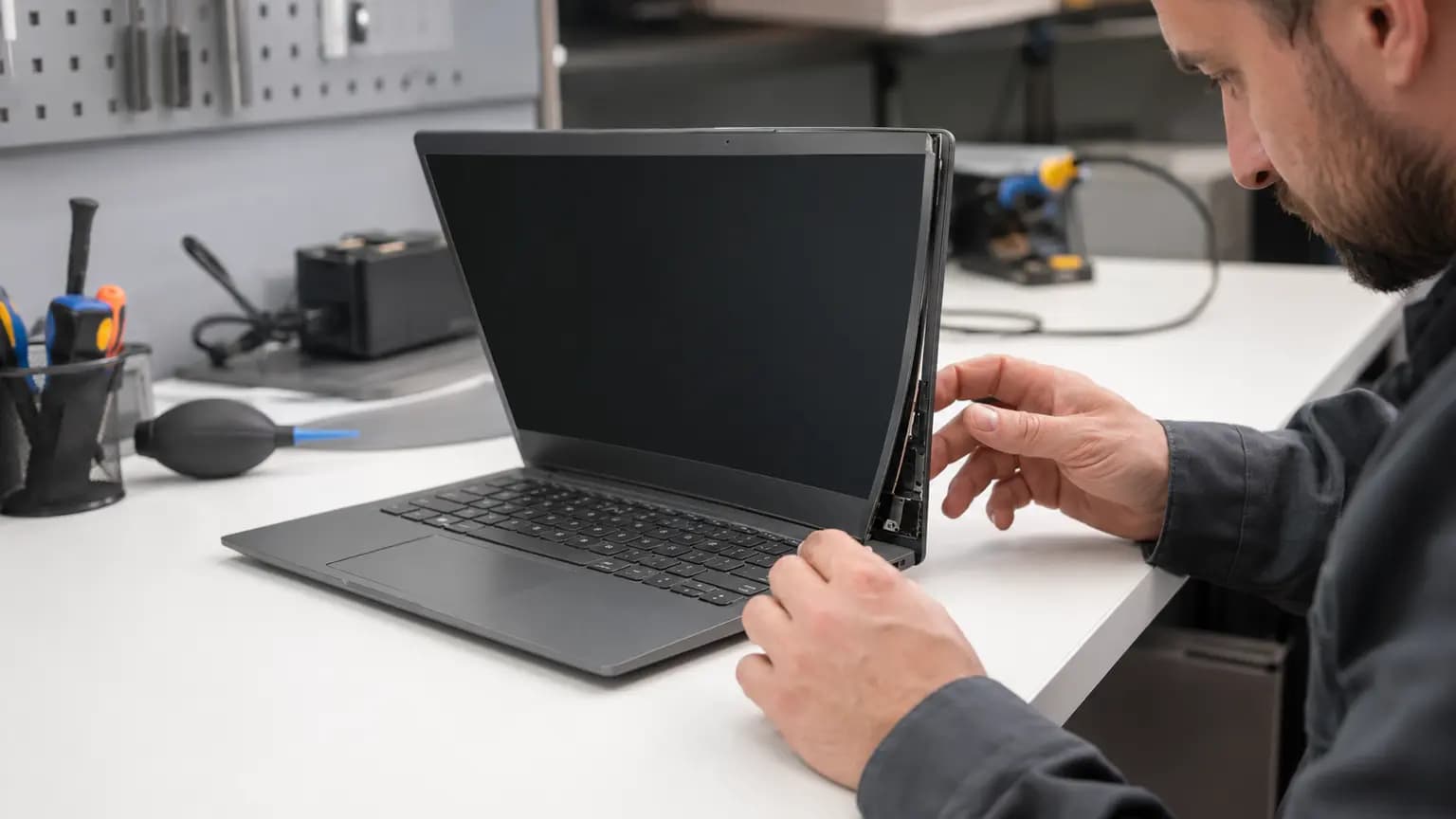
A laptop hinge is more than the metal joint that lets the screen open. It is fastened to small mounting points inside the display lid and lower case. When a mount cracks or pulls free, normal opening force can lift the bezel, split the palm rest, bend the back cover or pinch cables routed beside the hinge.
The first sign may be a click, a corner that rises slightly, or a screen that no longer stays at the chosen angle. Continuing to open and close the laptop can turn a repairable mounting problem into display, cable or case damage. Note which corner moves, whether the hinge feels unusually stiff, and whether the image or Wi-Fi connection changes as the lid moves. Then minimize lid movement until the assembly is inspected.
Eight Warning Signs
The sound may come from a loose bracket, fractured plastic mount, separating bezel or case clip under stress.
The hinge may be pulling the palm rest or bottom cover upward instead of rotating at its joint.
A loose hinge mount can push the bezel away from the screen and expose or press against nearby wiring.
A worn or loose hinge can let the lid fall backward, drift downward or wobble during use.
Uneven resistance can twist the lid and transfer excessive force into the weaker mounting points.
Visible cracks often indicate that internal brass inserts or plastic mounting posts have broken away.
The display cable may be pinched, stretched or damaged where it passes through the hinge area.
Antenna wires commonly route through the display assembly and may be disconnected or damaged near the hinge.
What to Do Now
Every open-and-close cycle can enlarge cracks or pull wiring farther. One careful observation is enough.
If the laptop is usable and no cable is exposed, keep the screen in one supported position and avoid carrying it open.
Turn the laptop off if the bezel opens, the case flexes, wires become visible, or the screen changes as the lid moves.
Support the base, keep the lid closed only if it closes without force, and never lift the computer by its screen.
Hinge damage does not normally erase data, but worsening cable or case damage can make the laptop unusable without warning.
A technician may need to test the display, camera, Wi-Fi antennas and charging behavior after mechanical repair.
What Actually Broke
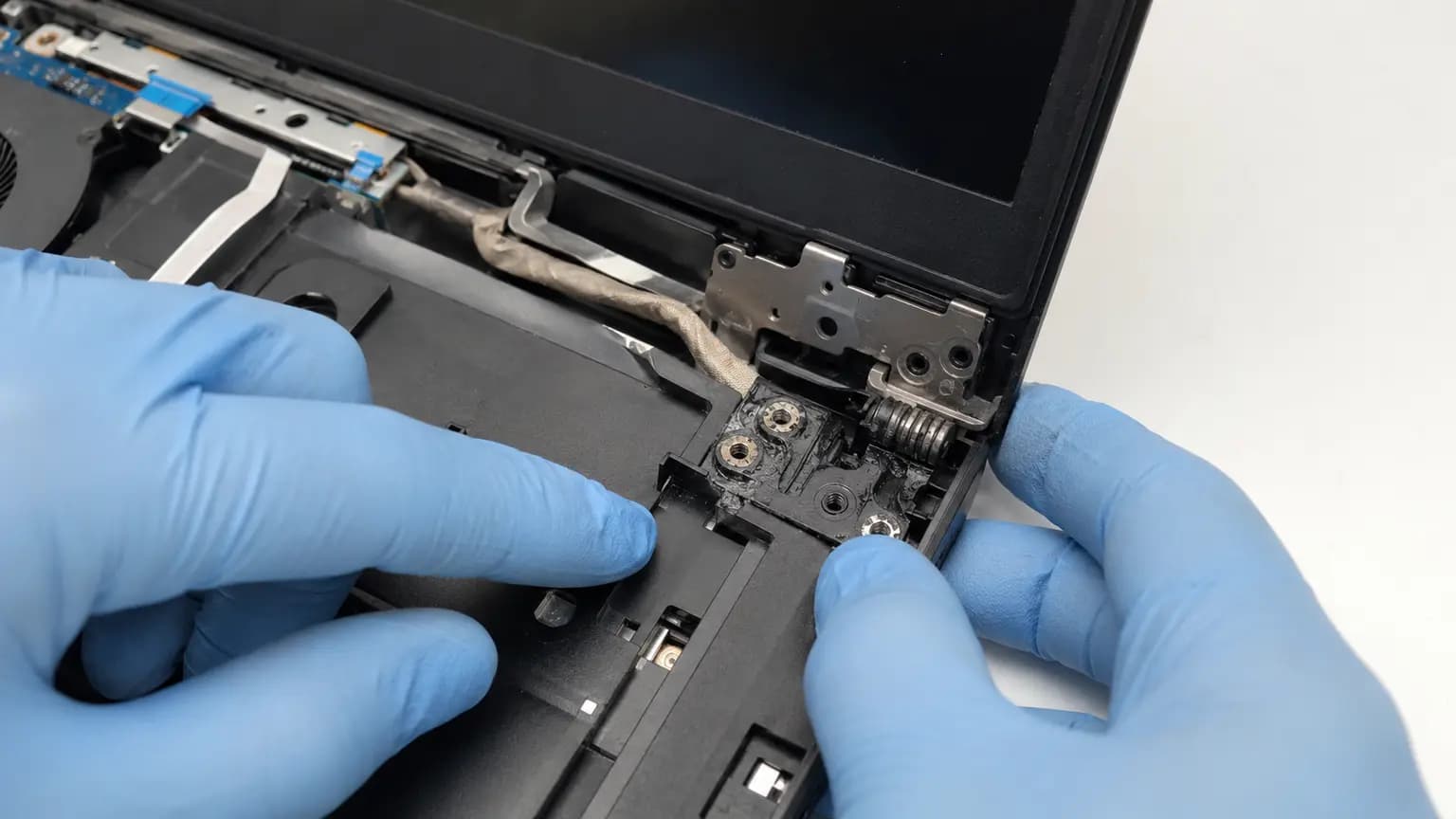
Many laptops use metal hinges fastened to threaded inserts molded into plastic. The hinge can remain strong while those inserts tear out of the lid, palm rest or bottom case. In other designs, the metal bracket bends, screws loosen, or the hinge itself becomes abnormally stiff. The correct repair depends on which structure failed and how much surrounding material remains.
Inspection should compare both sides, check the hinge resistance and locate every missing or displaced screw. The technician also checks whether the screen back cover, bezel, palm rest or bottom cover is cracked. Replacing only the visible broken plastic may fail again if a seized hinge or missing hardware continues to overload the new part.
Cables Beside the Hinge
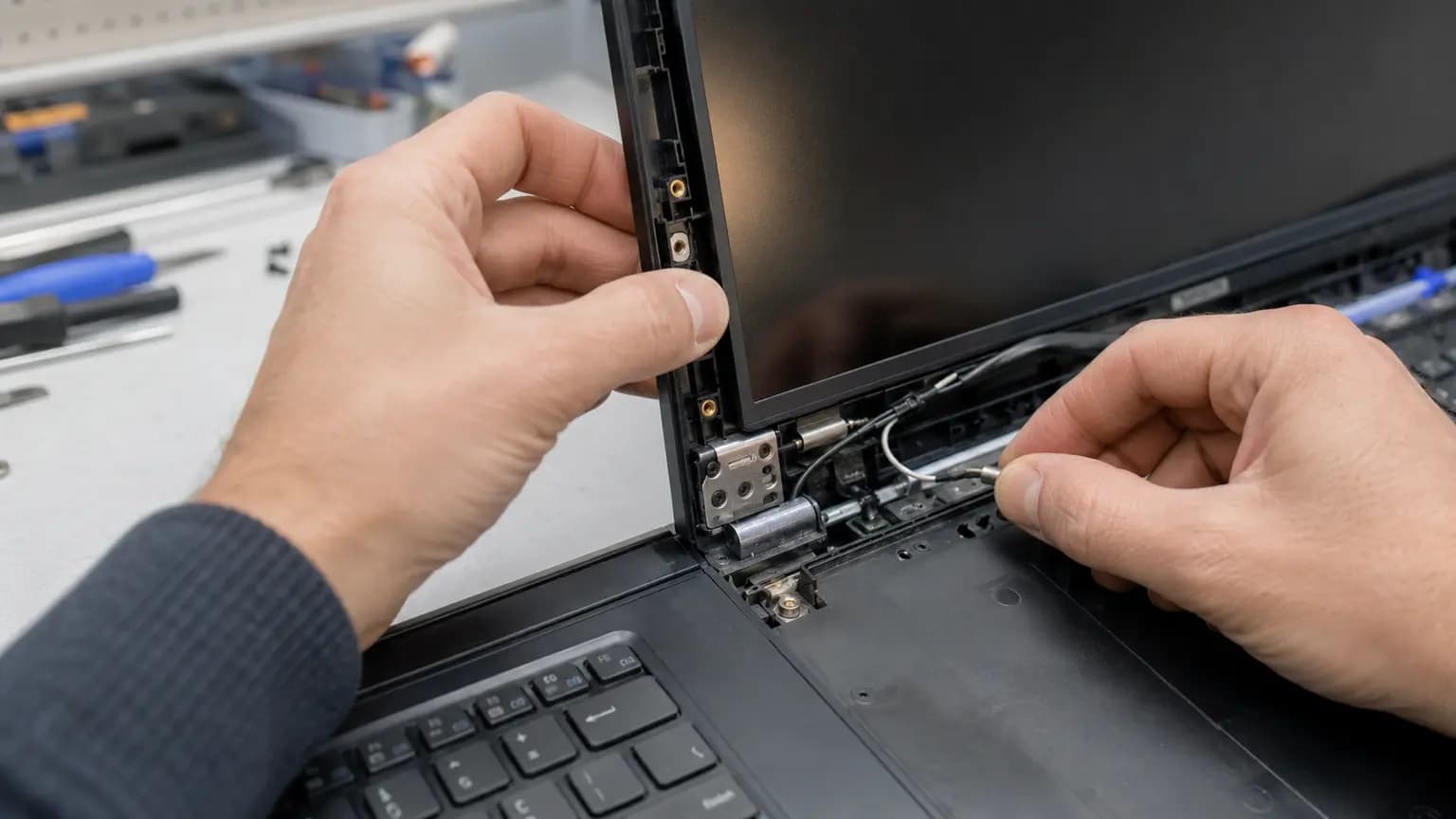
The display cable, camera cable and Wi-Fi antenna leads often pass through or beside the hinge channel. When a bracket shifts, a sharp edge can rub insulation, a separating bezel can stretch the harness, or a stiff hinge can pinch wires during every lid movement. This may cause flickering, lines, a black screen, camera failure or unstable wireless reception.
Do not push exposed wiring back with a metal tool or force the bezel closed. A repair should secure the mechanical structure first, route the cables exactly as designed, and test the screen at several safe angles. If the image already changes with movement, further lid testing should stop until the cable and connector are inspected.
Repair Options
The appropriate solution may involve tightening and securing hardware, replacing the hinge set, rebuilding suitable mounting points, or replacing the damaged display back cover, bezel, palm rest or bottom case. The choice depends on the model, part availability, crack pattern and whether the original structure can safely hold the load.
Adhesive applied from the outside rarely restores the designed load path. Super glue can fog plastics and screen layers, flow into cables or prevent proper disassembly. Screws driven through the lid or case may create sharp edges, pressure points and electrical risk. A sound repair aligns the lid, restores all required fasteners, confirms smooth resistance and verifies that no cable is trapped.
Does the Screen Need Replacement?
If the picture remains stable and the panel is not cracked, the screen itself may be reusable. However, pressure from a separated bezel, twisted lid or loose bracket can crack the panel later. Lines, flicker, backlight loss or an image that changes with lid position may point to cable, connector or panel damage and should be tested before parts are ordered.
Model identification matters because laptops with the same marketing name may use different lids, hinges, bezels and screen assemblies. A technician should confirm the complete model or product number and inspect the actual mounting structure rather than ordering from appearance alone.
Related Repair Help
Professional inspection and repair for loose hinges, broken mounts, separating cases and damaged lid assemblies.
Learn moreDiagnosis when hinge damage is accompanied by a cracked panel, flicker, lines or backlight trouble.
Learn moreComplete diagnosis for case, keyboard, touchpad, charging, cooling and startup problems.
Learn moreCompare panel, display-cable, driver and GPU causes when the image flickers.
Learn moreFrequently Asked Questions
Using it without moving the lid may limit further damage briefly, but separating parts, exposed wires, screen changes or strong resistance mean it should be shut down and inspected.
The hinge is likely pulling against a broken or detached mounting point in the palm rest, bottom case or display cover.
Yes. Twisting, bezel pressure and cable pinching can eventually damage the LCD panel, backlight or display cable.
Sometimes loose fasteners can be secured, but a cracked mount, stiff hinge or damaged bracket requires more than tightening.
External glue usually does not restore the internal load-bearing structure and can complicate a proper repair or damage nearby components.
Not always. The answer depends on which mounts and covers are damaged, the hinge condition and whether a durable repair is possible.
A display cable or connector near the hinge may be stretched, pinched or damaged. Stop repeated movement until it is checked.
Yes. Bring the laptop and its charger. We can identify the failed structure, check nearby cables and explain the suitable repair options.
Prevent Secondary Damage
Bring the laptop and its normal charger to Trueonefix in Tampa. We can inspect both hinges, the internal mounting points, case and display assembly, check nearby cables, and explain whether securing hardware, structural repair or replacement parts are appropriate.
One local Tampa storefront
104 E Fletcher Ave, Tampa, FL 33612 · Walk-ins welcome during business hours.